Why self-host your books
What’s important to me is reducing friction so I can easily start what I really want and not succumb to the call of doomscrolling. Basically, grabbing a book has to always be easy and desirable, otherwise the battle is lost in advance: YouTube is within reach and will always offer me something interesting.
What worked quite well at first was having my e-reader always with me, in my pocket.
Except that “what I want to read” is very volatile. Today, I don’t know in advance what I’ll want to read tomorrow. And if I don’t have what I want, then I won’t read. If it were possible to bring my whole library with me, I would, but in a Kobo Clara there’s only 12 usable gigabytes of non-expandable internal storage.
For those who own digital books purchased from Fnac or Rakuten, there’s the Kobo Store, which allows you to download your e-books to the e-reader. The integration seems decent — even if the prices seem somewhat excessive compared to physical books.
Also, the appeal of Kobo hardware for me is sideloading, which is a first-class citizen there.
So to start, I’ll just load a few books onto my e-reader and see how it goes.
Level 1 - Sideloading with Calibre
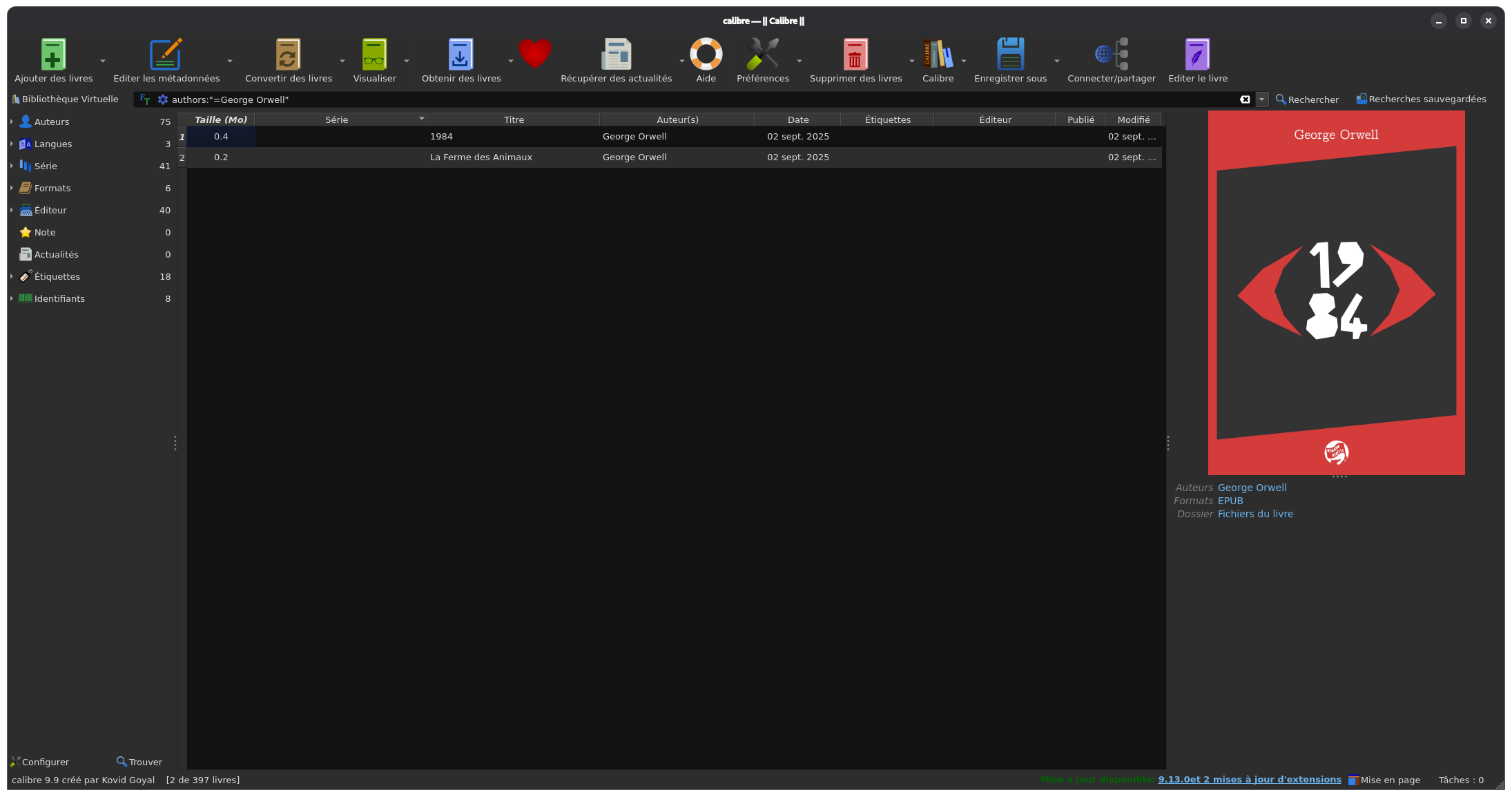
Calibre is the manual option I’ve been able to test for over a year.
The principle is simple: You manage your library on your PC, and you sideload the books you want to read onto your e-reader via USB in one click. It’s robust, it’s reliable, Calibre simply has no serious competitor for e-book library management, and I recommend the tool.
The metadata editor is clearly its strength:
- Data correction per book or in batches
- Multiple authors, series concept, tags, varied metadata
- “Sort title” system for books and authors
By the way, the send-to-device system is the only way I’ve found to get my Kobo to recognize series metadata. Well, the system isn’t perfect but it works.
It’s not all roses though; Calibre’s biggest downside is its dated and cluttered user interface. It takes time to master, and it’s sometimes frustrating.
So, I sideload my current PDFs, EPUBs, and CBZs onto my e-reader from time to time. Then I leave, grab my e-reader and… Oh, but I would have liked to read that book, which I didn’t add… Or read the next volume of that other manga whose loaded volumes I’ve devoured…
I need a way to access my library remotely, otherwise I can’t compete with my YouTube subscription feed and that damn feeling of emptiness at the end of a session that only served to pass the time.
Level 2 - Calibre server and KOReader
In the community, you can’t accuse them of reinventing the wheel: everything has been done to bring Calibre to a server. Whether it’s wrapping it in WebVNC, driving it from a custom WebUI, or attaching scripts to it, it’s all been done.
I like Calibre, so why not put it on my server?
On the e-reader side, it was also an opportunity to try the very popular open-source reader KOReader, since Kobo e-readers are fairly easy to mod. KOReader is so popular that it has server integrations, notably with Calibre-Web-Automated.
I had good memories of it, since I’d used it to liberate a used Amazon Kindle and experiment with an e-reader before splurging on higher-end hardware.
The Calibre Web Automated case
Calibre Web Automated is a fork of Calibre Web with KOReader synchronization added, which is the killer app of the project in my eyes.
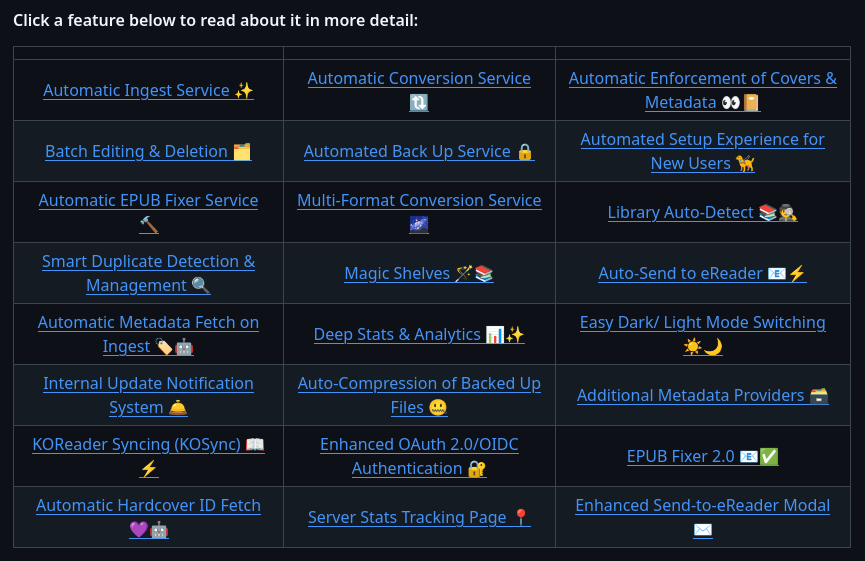
I stuck with it for a few days to try it out, but you have to face the facts… CWA isn’t polished. Well, that’s the nicest thing I can say, because the overuse of emojis in the documentation that sounds a bit too much like a sales pitch, and the half-implemented features make it look more like a team overusing agentic programming.
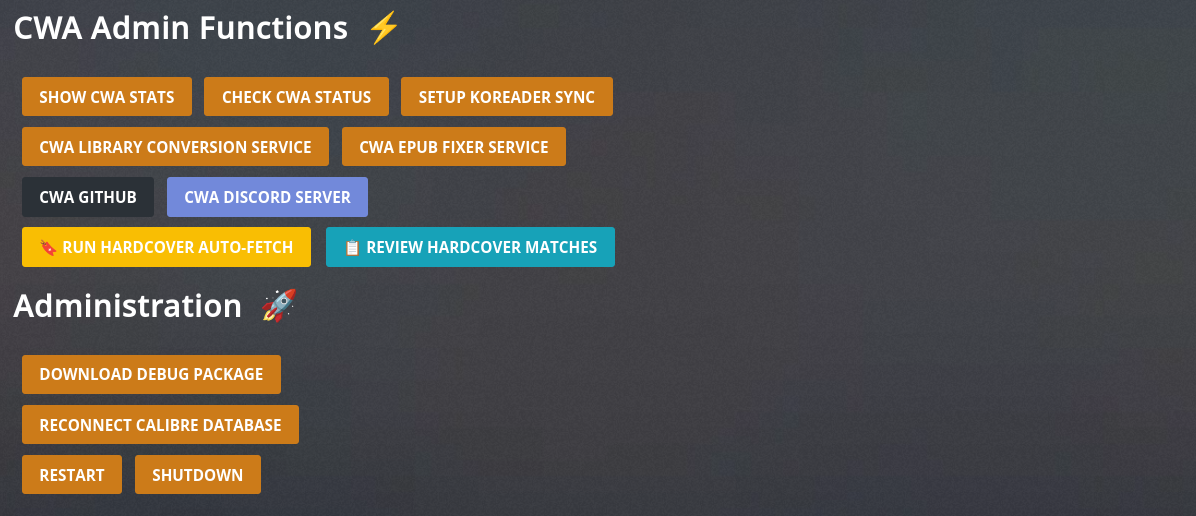
The CW/CWA interface is clunky, the Kobo and KOReader synchronization features are barely proofs of concept, format conversion can’t compete with the excellent KCC, when the conversion settings are even taken into account…
We have to move forward. We have to leave Calibre where it excels, on the desktop.
The KOReader reader
KOReader is a cross-platform e-book reader that benefits from vast community support, thanks to its massive adoption and a development team that seems to take pride on supporting all imaginable platforms and book formats. For remote library browsing, an OPDS reader is integrated.
What makes KOReader shine is… well its reader. Responsive, robust, customizable (meliorative) and intuitive, honestly I can’t fault it for anything, and I understand why so many people overlook the general ergonomics flaws.
It’s functional, robust software that suffers from OSID. The open-source interface disease.
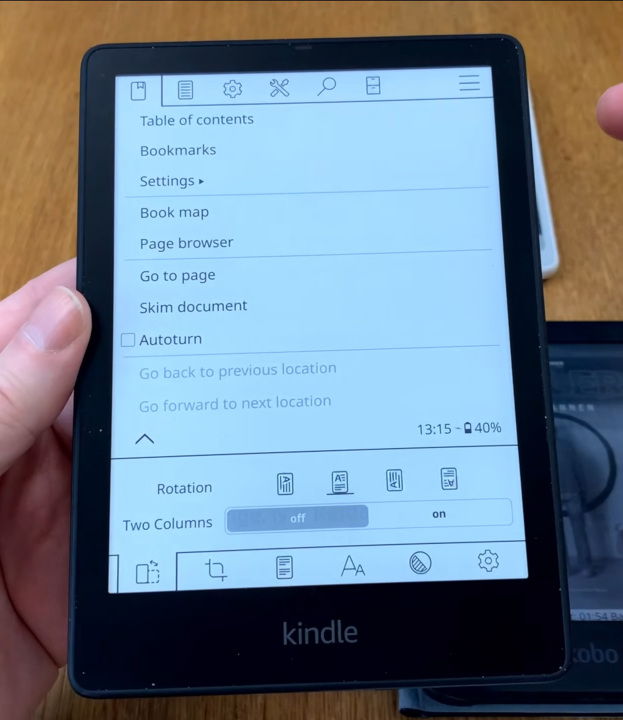
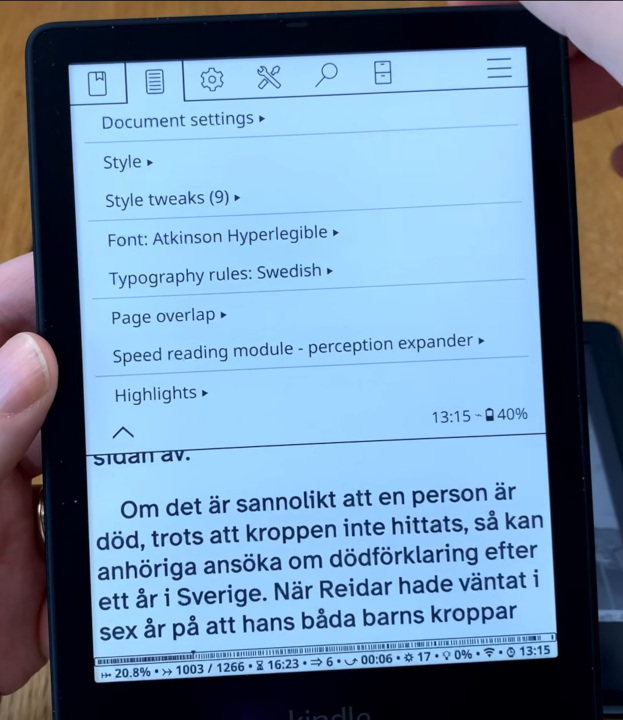
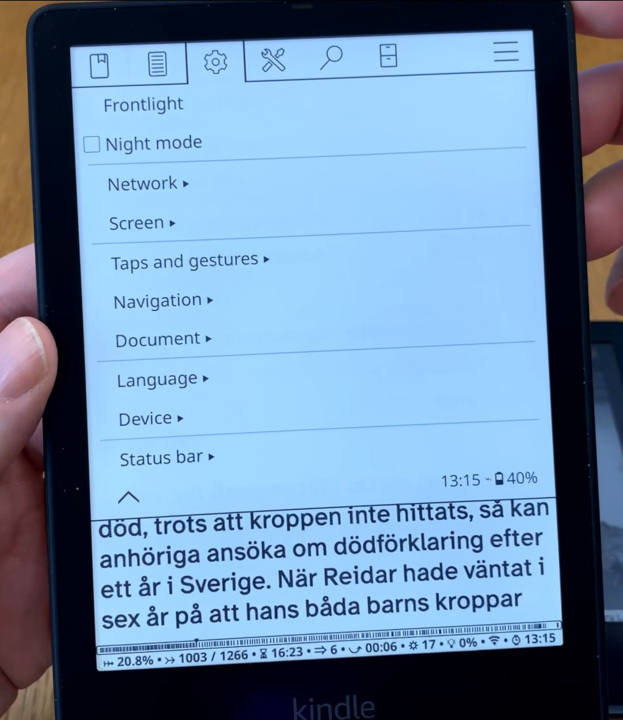
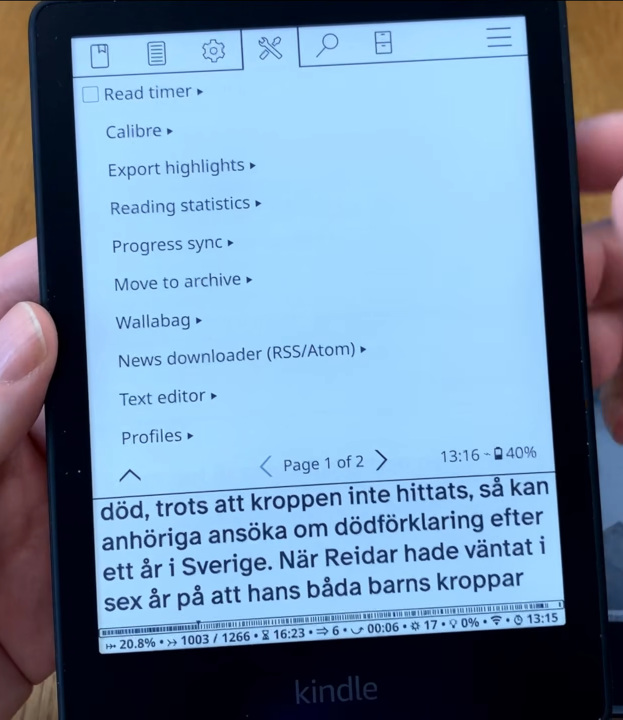
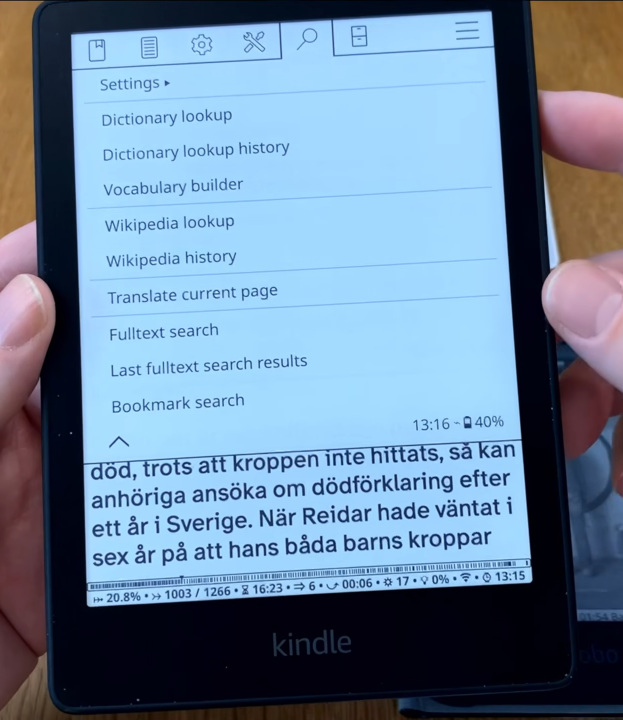
KOReader is a reader, plus a literal heap of options thrown at the user’s disposal, haphazardly grouped into tabs and submenus. Don’t see this as a cheap shot at KOReader: It remains an extremely powerful and solid e-book reader, but it’s not a good browser.
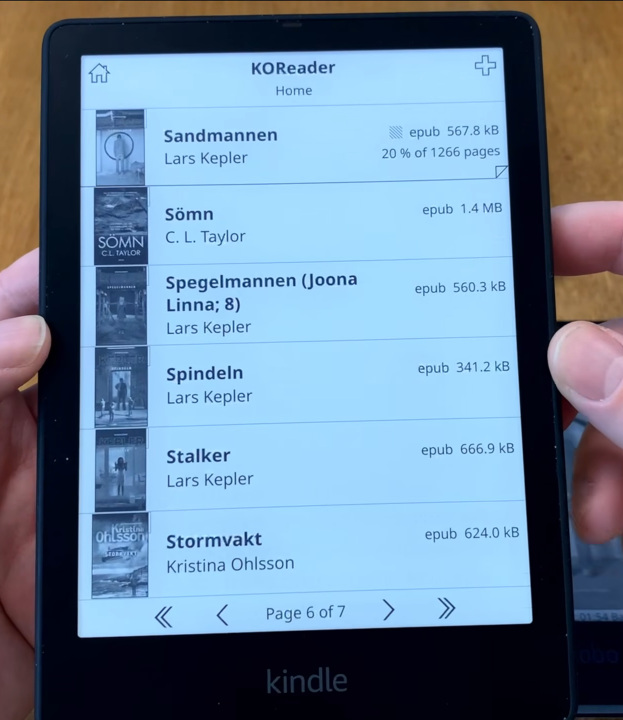
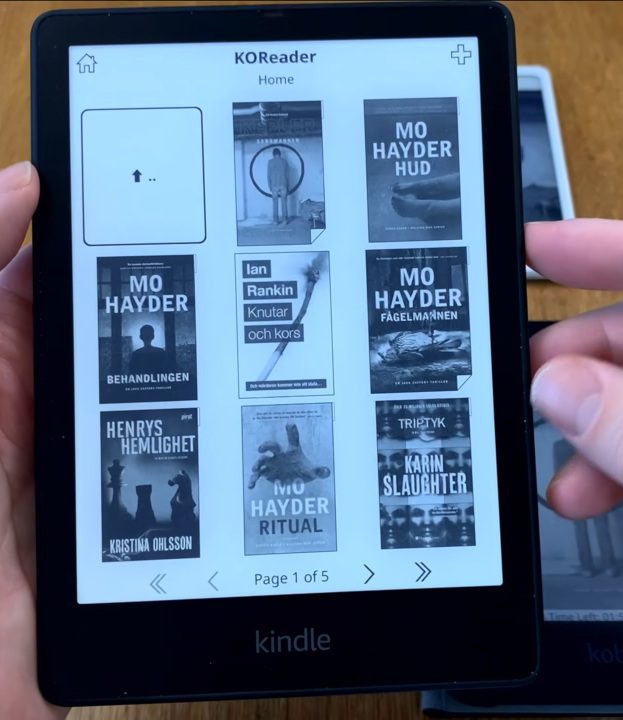
For more details, see a beginner’s tutorial on KOReader
The interface is both too dense with ancillary information in the menus, and too lacking in its display of local files. It’s a shame because there’s no shortage of customization options. I would also have liked a more ergonomic remote browsing experience, though I’m not sure whether to blame the OPDS protocol, the CWA server, or KOReader for that.
KOReader is an excellent reader, which can also (for lack of anything better) serve as a library browser. For liberating a Kindle like I did in the past, it’s already a huge leap in the right direction, but compared to the native Nickel interface of Kobo e-readers, it’s a downgrade.
Level 3 - Komga and Nickel
I often prefer to find software whose “vanilla” product vision suits me without having to fiddle with settings. In general, that’s a good sign that I won’t have to fight the default configuration nor an update that overhauls the interface.
Nickel - the Kobo interface
The work done by the Kobo teams is very good, and today I find a healthy balance between a commercial product — with the goal to sell books on the built-in store — and a sideload-friendly e-reader interface that knows to stay out of the way and make room for what really matters, reading books.
Navigation is clear, visual, and organized thanks to metadata. What I appreciate most is being able to browse by authors, series, and collections, which isn’t possible with KOReader and its local navigation based on the file system.
The only thing I could fault it for is the presence of Kobo store banners on the home page. However, as soon as you load a book, they collapse to make room for content and become just 3 lines of text at the bottom of the page.
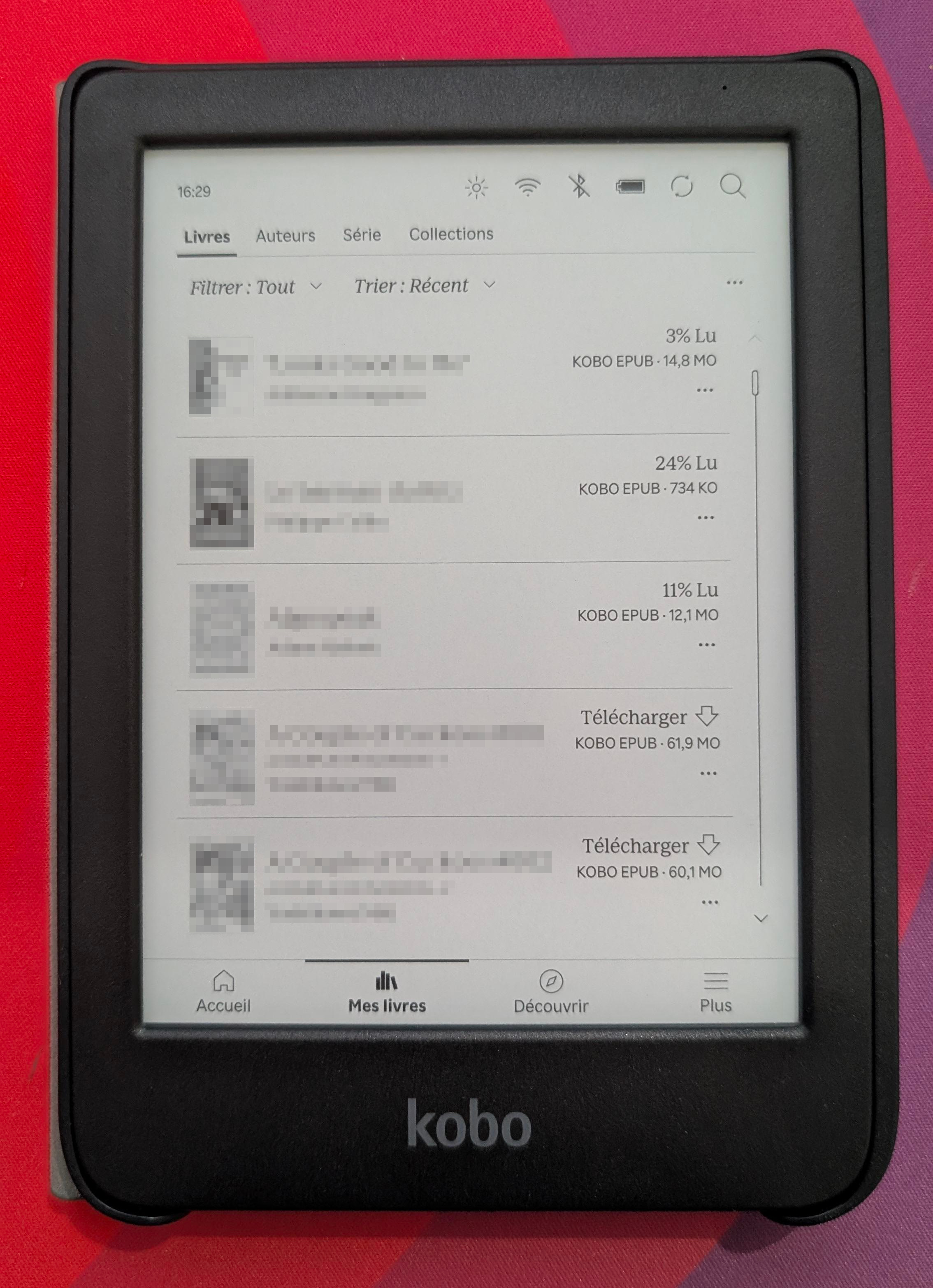
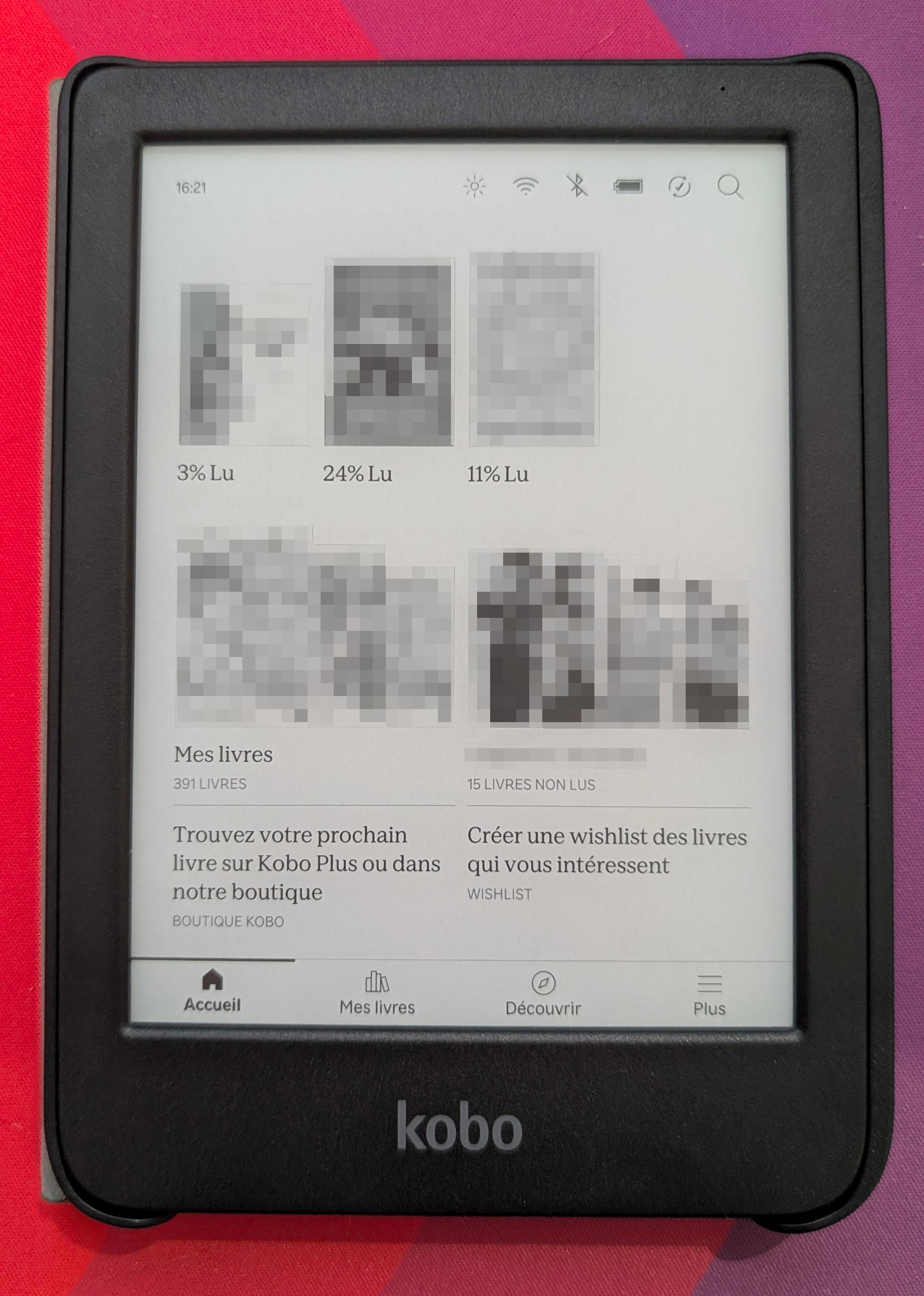
If I’m going to use something other than Nickel, it had better be at least as easy to browse my library, download books, and read them.
Komga - A server designed for comics, excellent for books
Initially I excluded Komga from my research for two reasons:
- It presents itself as focused on comics.
- I judged it by its cover, because a book server that doesn’t showcase its interface by default doesn’t inspire me confidence.
That was a mistake! I was pleasantly surprised when trying it, because Komga supports standard e-books just as well, has a nice, well-organized interface, and native integration with Kobo in the Nickel interface. Books appear directly on the e-reader after a sync.
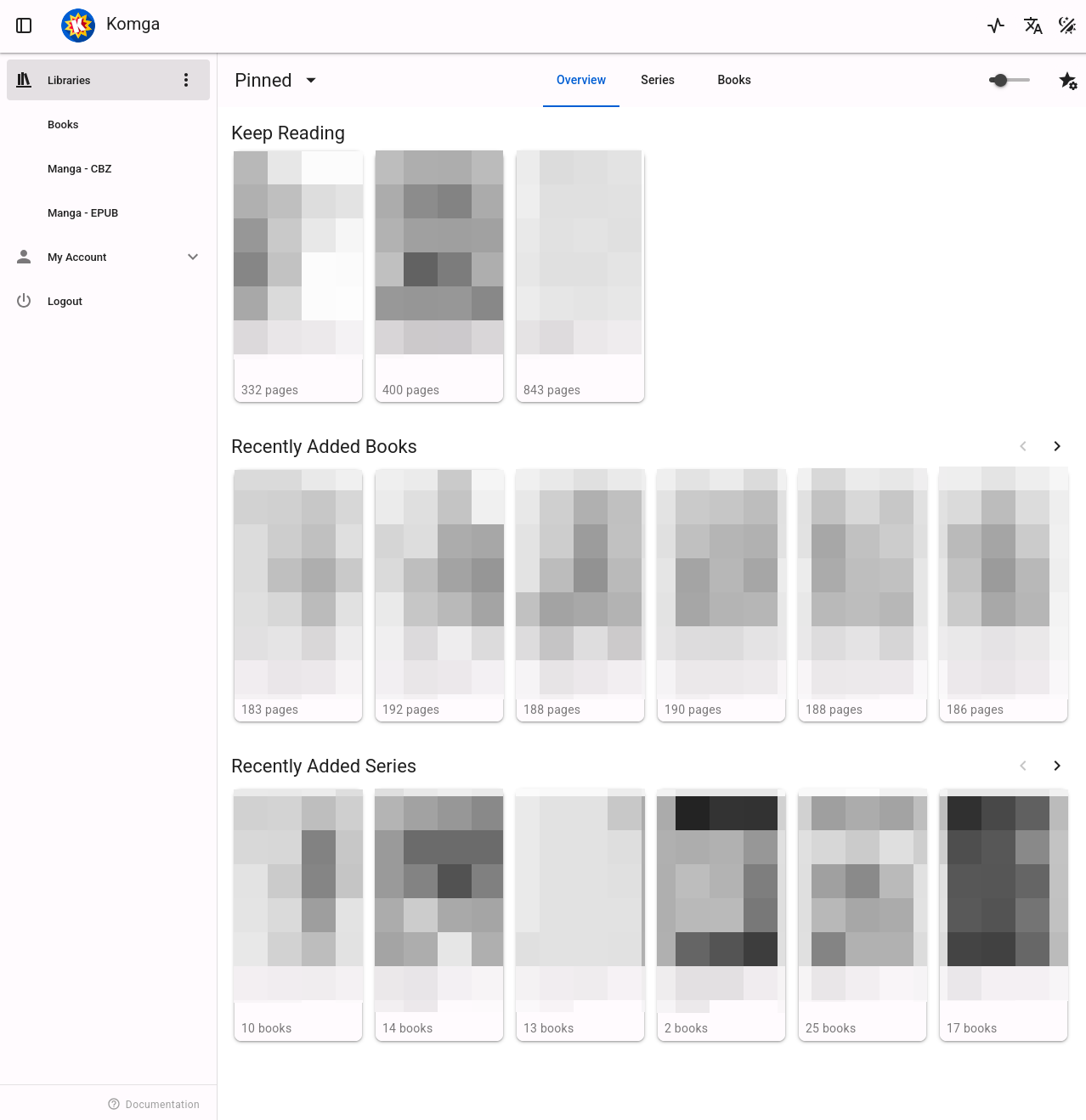
To add a book to the server, just drop it into a library’s folder, then run a scan. Komga doesn’t fetch metadata from third-party sources; it just reads what exists locally and exposes a library.
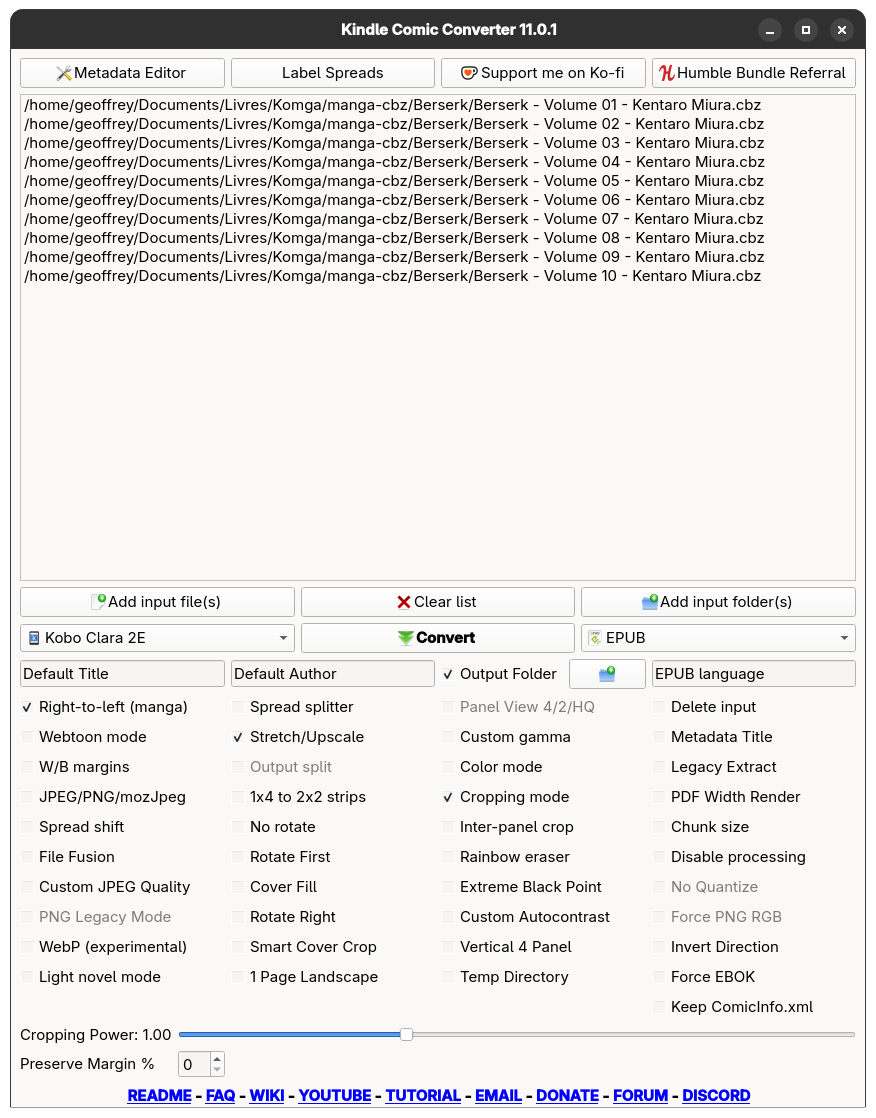
Its only flaw (in my opinion) is not including a format converter. That’s a shame, because CBZ books can’t be served as-is to Kobo devices with the integration and must be converted to EPUB format beforehand with KCC.
This is due to how the Kobo store works — it only sells books in Kobo-EPUB format, so Nickel doesn’t know how to download or sync reading progress for anything else.
In the end, it’s not a big deal for me since adding books to my library is occasional. A nice side effect is that I know exactly how books are displayed on my e-reader, since I do the conversion myself, with settings I choose. The day I switch to a higher-resolution e-reader, or one with a color display for example, I just have to run all my manga through KCC again with the new preset and drop them into Komga.
How the Komga ↔ Kobo link works
For curious folks that — like me — wonder how the sync works, Kobo devices allow you to change the store’s API endpoint in the main config file .kobo/Kobo/Kobo eReader.conf
You just need to modify one line on the e-reader:
[OneStoreServices]
api_endpoint=https://<your_komga_address>/kobo/<api_key>
And on its side, Komga simply reimplements the endpoints and protocol of the Kobo store. You can browse your remote library, download your books, and save your reading progress on the server.
I’m very pleasantly surprised by this. Nothing forced the engineers at Kobo to allow this easily, or to sideload books, for that matter.
They could have simply added server signature validation and embedded the public key in the device firmware to make reimplementation impossible. Something many manufacturers already do, thereby condemning those devices to become e-waste after official support ends.
It’s concrete proof of good faith, which in itself creates a loss of revenue for Kobo since they don’t force users to consume on their platform. That should be normal, but it’s quite surprising in 2026 to see a company not yet “enshittified” to the point of stripping all power from the consumer. I cynically assume that Fnac and Rakuten behind Kobo aren’t doing this out of the goodness of their hearts, but are very aware of their market positioning and know they can’t compete with Amazon by having the same value proposition as the conglomerate.
Still, I’m not going to look a gift horse in the mouth!
Conclusion
It works well 👍
Today I’m satisfied with the Nickel interface built into the Kobo Clara, and I’ve found a solid server with Komga, which lets me sideload my books on the fly.
Will it solve my friction problem that keeps me from reading? Maybe, maybe not. Either way, I really feel like I’ve found a setup that meets my needs and respects me as a consumer.
But it could be even better 🥺
I have a bit of an allergy to proprietary software, so I’m not 100% satisfied with Nickel. However, given how the Kobo e-reader is designed, I know I remain the owner of my hardware. In the worst case, I can block firmware updates and do without the Kobo Store.
More generally, I often say two things:
- I don’t buy promises.
- I don’t want to have to trust.
And in my opinion, Kobo devices pass the test:
- Using them without depending on Kobo’s online services isn’t a promise; it’s already possible. I already own my hardware.
- No need to trust that the store will still exist in 10 years; I can sideload my books and sync reading progress with my own server.
The only downside I can give Kobo is that getting past account creation on first boot is a bit complex, and it’s not exactly intended. Having a Kobo online account isn’t essential to using the device, so it should offer the option not to create one.